
The survey list
Open Surveys from the bottom navigation to see everything currently available to you.
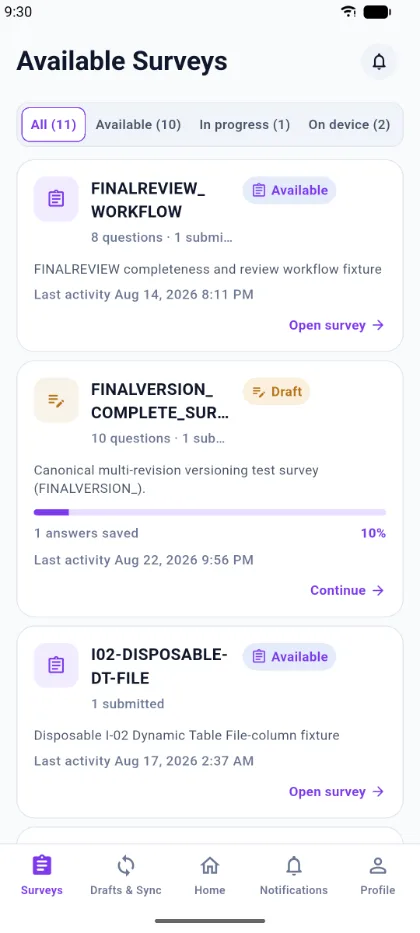
Filters
Four chips narrow the list, each showing its own count:
| Filter | Shows |
|---|---|
| All | Every survey currently available to you |
| Available | Surveys you have not started |
| In progress | Surveys with a response you have started but not finished |
| On device | Surveys whose definition is stored locally and can be opened offline |
What a card tells you
Each card carries the survey name, how many questions it has, how many responses you have already submitted for it, and its device status — for example Saved on device, Draft, or Needs attention when a queued submission could not be accepted.
Finding a survey
If a survey is missing from All, check the rules in Signing in and access — most often the survey is web-only, or you do not hold the assignment it requires.