
Repeating a question, a group, or a table block
The repetition target determines what one occurrence contains. Survanta supports exactly three targets: a single Question, a Group, or a Dynamic Table block.
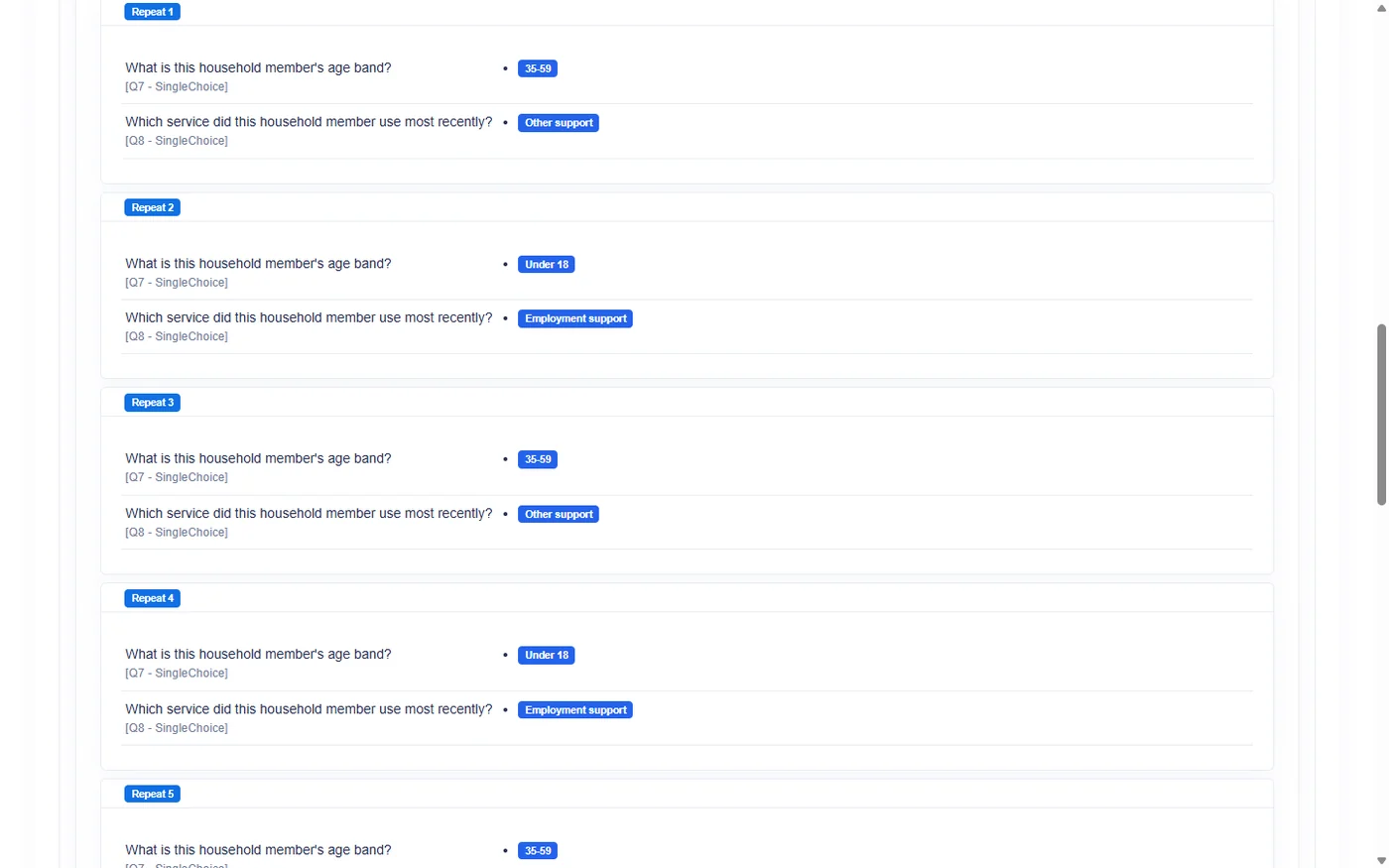
Each occurrence is stored independently. When a response is reviewed or exported, occurrences appear separately and are identified by their occurrence number.
Target comparison
| Target | One occurrence contains | Suitable when |
|---|---|---|
| Question | One answer field | The same measurement is taken several times |
| Group | Every question in the group | Several subjects need the same mini-questionnaire |
| Dynamic Table block | One complete table with its own rows | Several entities each need their own row-based register |
Fixed Count and Count From Answer can be used with all three targets. The maximum is 20 occurrences.
Repeating a single Question
A Question target creates several independent copies of one answer field.
Worked example
An observation form asks for the temperature at three checkpoints.
The author creates one Decimal question named Checkpoint temperature and applies Fixed Count 3 to that
question.
What the respondent sees
The respondent sees:
- Checkpoint temperature 1
- Checkpoint temperature 2
- Checkpoint temperature 3
Each field uses the same question settings and validation, but each occurrence accepts its own answer.
How the result is stored and shown
The three values remain associated with occurrence 1, 2, and 3. In an export, the question receives separate occurrence columns such as Checkpoint temperature [1], [2], and [3].
When to choose it
Use a repeated Question when only one measure repeats and no companion fields are needed.
If each occurrence needs a date, status, note, or identifier as well, use a Group.
Repeating a Group
A Group target repeats every question in the group together.
Worked example
A household survey asks How many children live here? The respondent enters 5.
The target group Child details contains:
- child name or study identifier;
- age;
- relationship to head of household;
- current school attendance.
Count From Answer creates five occurrences of the whole group.
What the respondent sees
The respondent sees Child details 1 through Child details 5. Every occurrence contains the complete set of four questions.
Answers entered for child 2 do not overwrite answers for child 1. Each group occurrence has its own numbered context.
How the result is stored and shown
Response review keeps the questions associated with the relevant group occurrence. Export headings combine the group, occurrence number, and question, for example Child details [2] - Age.
When to choose it
Use a repeated Group when each subject needs several related fields and the number of subjects is fixed or comes from an Integer answer.
Do not create separate repetition on a question inside that group. Nested repetition is rejected.
Repeating a Dynamic Table block
A Dynamic Table target creates several separate instances of the whole table. Each table occurrence has the same column definition and its own independent rows.
Worked example
An organization evaluates three project sites. For each site, it needs a separate table of observed issues with columns for issue, severity, and observation date.
The author applies Fixed Count 3 to the Observed issues Dynamic Table block.
What the respondent sees
The respondent sees:
- Observed issues 1, with its own rows
- Observed issues 2, with its own rows
- Observed issues 3, with its own rows
Adding a row to table 1 does not add a row to tables 2 or 3.
How the result is stored and shown
Each table block has an occurrence number. Its rows remain linked to that occurrence during response review and export. A row in table occurrence 2 is not merged into occurrence 1.
When to choose it
Use block repetition when several higher-level entities each need their own list of row-based records.
If there is only one list and the number of rows varies, use one Dynamic Table instead.
Table block repetition versus row count control
These features solve different problems.
| Question | Dynamic Table block repetition | Dynamic Table Row Count Control |
|---|---|---|
| How many table containers? | Several | One |
| What does the count create? | Separate table blocks | Rows inside the table |
| Does each block have its own rows? | Yes | Not applicable; there is one block |
| Operator role | Repetition count | Row count |
Explicit example
- How many children? = 5 with Row Count Control produces one table with five rows.
- Repeat table = 3 produces three separate table blocks, each with its own rows.
The current Survey Builder accepts one active cardinality rule for a target table. Authors must therefore choose either table-block repetition or Row Count Control for that table; the two cannot currently be configured on the same target.
Read the full row-count comparison.
Occurrence numbering matters
Occurrence numbers provide the identity of repeated data.
- Question occurrence 3 is distinct from question occurrence 2.
- Every answer in group occurrence 3 belongs to that group occurrence.
- Every row in table occurrence 3 belongs to that table block.
- Review and export keep those contexts separate.
Use clear target titles so a numbered occurrence is understandable to reviewers. A label such as "Child details 3" is more useful than "Group 3."
Choosing the target
Ask these questions:
- Does only one answer repeat? Choose Question.
- Do several related answers repeat together? Choose Group.
- Does each repeated entity need its own rows and columns? Choose Dynamic Table block.
- Is there only one table whose row count varies? Use Row Count Control instead.
Limitations and checks
- A maximum of 20 occurrences applies.
- Count From Answer requires an Integer source.
- A count of
0produces no occurrences. - Nested repetition is not supported.
- Reducing a count removes surplus occurrences from the active form.
- Each occurrence should be tested in response review and export before collection.
Choose the smallest repeat target that represents one real-world subject. This keeps occurrence numbering and analysis easier to explain.