
Dynamic tables
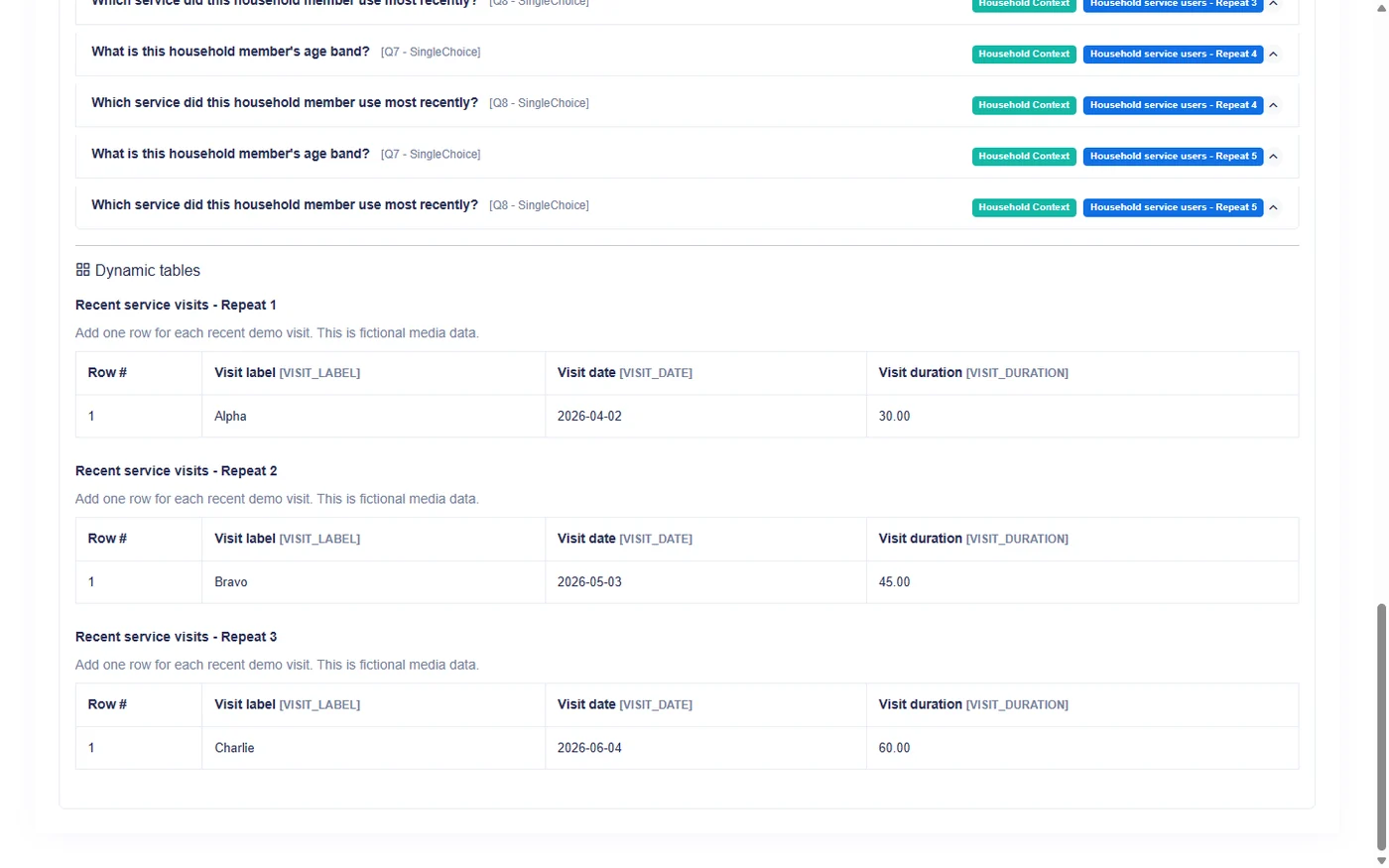
A dynamic table collects several structured records inside one survey response. Every row follows the same column definition, making tables useful for assets, observations, visits, services, findings, or household members when the information is naturally row-based.
What a dynamic table contains
A dynamic table definition includes:
- a title and optional description;
- ordered columns;
- a minimum number of rows;
- an optional maximum number of rows;
- whether respondents may add rows;
- whether respondents may delete rows;
- whether the table is required;
- a display mode for supported collection channels.
The table belongs to a survey section. Its columns are fields inside the table, not standalone questions in the survey outline.
Defining columns
Each column describes one value collected for every row. Authors choose the column's label, type, order, required state, and type-specific settings available in the Builder.
Example asset table:
| Column | Purpose |
|---|---|
| Asset type | Identifies the item |
| Quantity | Captures a whole-number count |
| Estimated value | Captures a decimal amount |
| Condition | Captures one authored choice |
| Observation date | Captures a date |
Keep columns focused. A wide table with long narrative fields can be difficult to complete on a small screen.
What the respondent does
The respondent fills one record per row.
When adding rows is allowed, Add row appends another record until the table maximum is reached. When deleting rows is allowed, the respondent can remove a row, subject to the table's minimum and any condition-controlled row count.
Rows are numbered. Each cell follows the configuration of its column, including required status and applicable text, numeric, date, choice, lookup, or file behavior.
Minimum rows
Minimum rows sets the smallest table structure expected from the respondent.
Examples:
- minimum
0: the table may remain empty; - minimum
1: at least one row is expected when the table is active; - minimum
3: the respondent starts with the required row structure for three records.
A fixed table that does not allow added rows needs a positive minimum so the respondent has rows to fill.
Maximum rows
Maximum rows limits how many rows the table can contain.
Set a maximum when the protocol has a real upper boundary or when collection burden must remain bounded. The maximum cannot be smaller than the minimum.
If no table-specific maximum is configured, other platform rules and collection constraints may still apply.
Allow adding rows
When enabled, respondents can append rows up to the maximum.
Use this for open record lists, such as all observed issues or all services used. Disable it when the row structure is fixed by the author.
Dynamic Table Row Count Control requires this setting to be enabled before the condition is added, even though the respondent controls are then locked to the calculated count.
Allow deleting rows
When enabled, respondents can remove rows they added or no longer need, while respecting the minimum.
Disable deletion when every presented row must be retained. Explain fixed rows clearly so field users do not try to remove a row that represents a required record.
Condition-controlled row counts determine the active rows, so manual add and delete controls are not used while that row-count rule is active.
Required table and required columns
Table requiredness and column requiredness address different levels.
- A required table makes the active table part of required-answer checks.
- A required column expects a value in that column for the applicable row.
- Minimum rows determine the structural row floor.
Review these settings together. A required table with unclear optional columns can be difficult for respondents to interpret.
Table validation
Validation operates at two levels.
Row structure
Survanta checks the minimum and maximum number of rows and whether row additions or deletions are permitted.
Cell answers
Each cell is validated according to its column type and settings. Examples include:
- required value;
- text length;
- numeric range and decimal precision;
- date range;
- valid authored choice or managed lookup item;
- file count, size, and allowed type.
An invalid cell prevents the relevant completion or submission check until the respondent corrects it.
Display mode
A dynamic table can carry a display mode for supported web and mobile collection experiences. Display mode is a presentation choice: it guides how the same rows and columns are shown to the respondent.
It does not create a different answer structure, change row limits, or alter the stored meaning of a cell.
Available presentation behavior can differ by collection channel, so authors should preview the actual web and mobile experience rather than assuming that one layout applies everywhere.
When to use a table
Use a dynamic table when:
- records share a consistent set of short fields;
- respondents think in rows, such as one row per asset or visit;
- comparison across records benefits from visible columns;
- the number of rows may vary;
- one row has no complex internal branching.
When to use a repeating group
Use a repeating group when:
- each subject needs several questions with longer labels or explanations;
- the fields do not fit naturally into columns;
- questions within each occurrence need a clearer vertical flow;
- conditional behavior is easier to understand as a mini-questionnaire;
- each occurrence represents one subject rather than one compact record row.
Table or repeating group
| Design question | Dynamic table | Repeating group |
|---|---|---|
| Primary shape | Rows and columns | Repeated question block |
| Good for | Compact structured records | Rich subject details |
| Respondent action | Add or remove rows when allowed | Complete numbered occurrences |
| Per-record context | Column headers | Full question labels |
| Repetition role | Can repeat as a whole table block | Repeats all grouped questions |
Example:
- Use a table for a list of medicines with name, quantity, and source.
- Use a repeating group for each child when collecting age, education, health, and several explanations.
One table or repeated table blocks
One ordinary dynamic table contains one set of rows.
Repeating the Dynamic Table block creates several independent table occurrences. This is useful when each site, facility, or project needs its own list.
It is different from Row Count Control, which keeps one table and calculates only its number of rows.
Compare table block repetition and row count.
Authoring checklist
- Name the real-world record represented by one row.
- Create only the columns needed for that record.
- Choose appropriate types and validation for each column.
- Set a realistic minimum and maximum.
- Decide whether respondents may add and delete rows.
- Review required table and required column behavior together.
- Preview a zero-row case where allowed.
- Preview the maximum row count.
- Test on both wide and narrow screens.
- Review the saved response and export layout.
A table works well when each row has the same compact structure. If one row needs a long interview flow, use a repeating group instead.